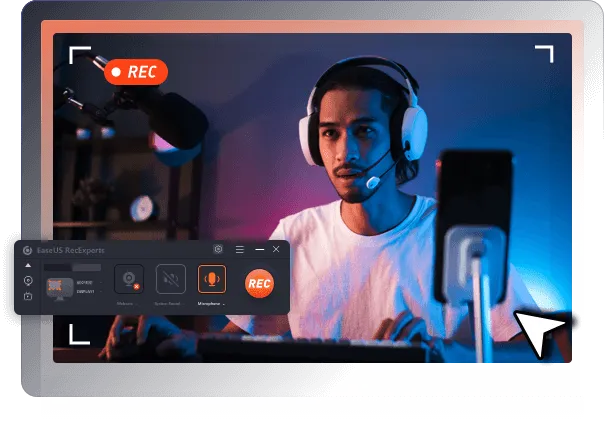
EaseUS RecExperts Windows
EaseUS RecExperts Windows
Easy-to-use screen recorder for you to capture and record screen, webcam, and audio.

EaseUS RecExperts Windows Review
Are you struggling to find a reliable and user-friendly screen recorder that can capture all the important moments during your video calls, meetings, and presentations? Do you often face difficulties in explaining complex tasks to your team members or clients due to the lack of a suitable tool for recording and sharing your screen? Are you looking for a solution that can help you create professional-looking tutorials, demos, and lectures without any technical skills or expensive equipment? If yes, then EaseUS RecExperts might be the answer to all your screen recording needs.
What EaseUS RecExperts?
Simple & Smart Screen Recorder to Capture PC Screen.
EaseUS RecExperts is an intuitive screen recorder for Windows and macOS. Record everything on your screen or webcam, solve video demonstration scenarios and simplify your daily task.
Capture any onscreen activities, audio, and webcam easily for any occasion, like delivering instruction, onboarding new employees, a video call or remote meeting, troubleshooting procedures, and sharing lectures.
What Can You Do with EaseUS RecExperts
Online meeting. Use this screen recorder to freely record Teams meeting, Skype call, WhatsApp Call, webinar or record zoom meeting without permission.
Streaming video. Record from your favorite live streaming platforms, including Twitch, Facebook, YouTube, Instagram, etc. And re-watch them at any time.
Making tutorials. Want to create a demostration video for your product? EaseUS RecExperts screen recorder integrates versatile features to help you get things done with ease.
Presentation recording. Many educators share their PowerPoint slides on the web, as remote learning is a trend. Use this video recording software to record your face and voice narration on your PowerPoint content.
Gameplay highlight. If you are a game lover, you can record your gameplay highlights to show off to friends. No need to worry about the lag issue because it works well even on low-end PC.
Join 300, 000+ users in all professions to record screen with EaseUS RecExperts recorder today!
Looking for a screen recorder to create video tutorials?
Recording online meeting and remote class for
Cannot record internal audio with screen on your computer?
Xbox Game Bar doesn's work or meet your requirements?
Record anywhere. EaseUS RecExperts allows you to record full screen or just a region of your screen.
Record any audio. Record sound from your computer or/and microphone.
Capture webcam. Capture your face via web camera while you are recording the screen.
Record full screen or a part of screen
Record internal audio and microphone
Record streaming videos and meetings
Advance media player
Trim and edit recordings
Capture web camera
Export to 10+ formats, MPR, MOV, AVI, etc.
Schedule recording
Audo-stop & auto-split
Game recording mode
Built-in screen snipping tool
Add intro and outro to recordings
Extract and save audio from video
Unlimited recording length and time

Frequently Asked Questions
What are the hardware requirements for EaseUS RecExperts?
1.0 GHz processor or faster; A minimum of 1 gigabyte (GB) RAM; A minimum of 2 GB RAM for Window 7/8/8.1/10; A minimum of 1 GB of available space on the hard disk
What are the system requirements for EaseUS RecExperts?
Please make sure you are running any one of the listed Windows operating systems: Windows 7/8/8.1/10/11.
Can I record internal audio and external microphone?
Yes, you can. You can record audio and microphone alongside with screen. Or you can even record sound only.
